Table of Contents
🔹 Introduction
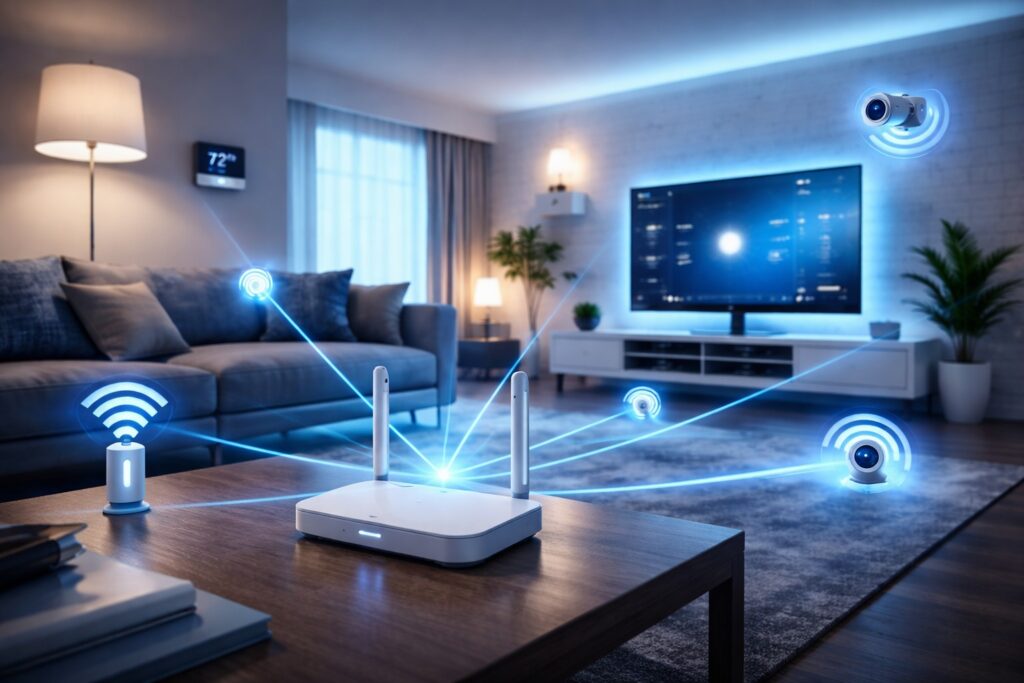
In 2026, a fast and reliable smart home WiFi network is no longer a luxury—it’s a necessity 🏡📶. As more people adopt smart devices like voice assistants, security cameras, smart lights, and thermostats, the demand for a strong and stable smart home WiFi setup continues to grow.
However, many beginners face common and frustrating issues when setting up their smart homes. You might experience slow internet speeds 😓, frequent device disconnections, or situations where your smart devices simply stop responding. Imagine telling your smart assistant to turn on the lights—and nothing happens. That’s not just annoying, it defeats the purpose of a smart home.
The main reason behind these problems is often a poorly optimized smart home WiFi network. Unlike regular internet usage, smart homes require a network that can handle multiple connected devices at the same time without lag or interruptions.
In this guide, you’ll learn everything you need to know about building a powerful smart home WiFi system. We’ll cover how to properly set up your network, improve speed and performance, and secure your connection from potential threats 🔐. Whether you’re a complete beginner or looking to upgrade your current setup, this article will help you create a fast, stable, and secure smart home experience.
🔹 2. What is Smart Home WiFi?
A smart home WiFi network is a wireless internet system designed specifically to support multiple smart devices in your home 🏡📶. Unlike a regular WiFi connection that is mainly used for browsing, streaming, or gaming, a smart home WiFi network is built to handle constant communication between devices like smart lights, security cameras, voice assistants, and home automation systems.
In simple terms, smart home WiFi acts as the “brain connection” that allows all your smart devices to talk to each other and respond to your commands in real time ⚡. Without a stable and well-optimized network, your smart home simply won’t function properly.
🔸 Normal WiFi vs Smart Home WiFi
Many beginners think all WiFi networks are the same—but that’s not true.
📶 Normal WiFi:
Used for basic internet tasks (browsing, YouTube, social media)
Supports limited number of active devices
Occasional speed drops are manageable
🏡 Smart Home WiFi:
Designed for multiple connected smart devices
Requires stable and consistent connection
Needs low latency for instant responses
Must run 24/7 without interruptions
👉 This is why upgrading to a proper smart home WiFi setup is essential if you plan to automate your home.
🔸 Key Components of Smart Home WiFi
To build a powerful smart home WiFi network, you need to understand its main components:
🔹 1. Router
The router is the heart of your smart home WiFi network ❤️
It distributes internet signals to all devices in your home.
🔹 2. Smart Hub (Optional)
Some smart homes use a hub (like a control center) to manage devices more efficiently.
🔹 3. IoT Devices
These include:
Smart lights 💡
Smart plugs 🔌
Security cameras 📷
Smart speakers 🎙️
Thermostats 🌡️
All these devices rely on your smart home WiFi to function properly.
🔸 How Smart Home WiFi Works
When you give a command—like turning on a light—your request travels through your smart home WiFi network to the device. The faster and more stable your connection, the quicker your device responds ⚡.
For example:
You say: “Turn on the lights”
Command goes through WiFi
Device receives signal
Action happens instantly
If your smart home WiFi is weak, this process becomes slow or may fail completely ❌
🔥 Why Understanding This is Important
Before setting up or upgrading your system, you must understand how smart home WiFi works. This knowledge helps you:
Avoid common mistakes
Choose the right equipment
Improve performance
Build a reliable smart home system
🔹 3. Why Smart Home WiFi Matters ⚡ (Benefits)
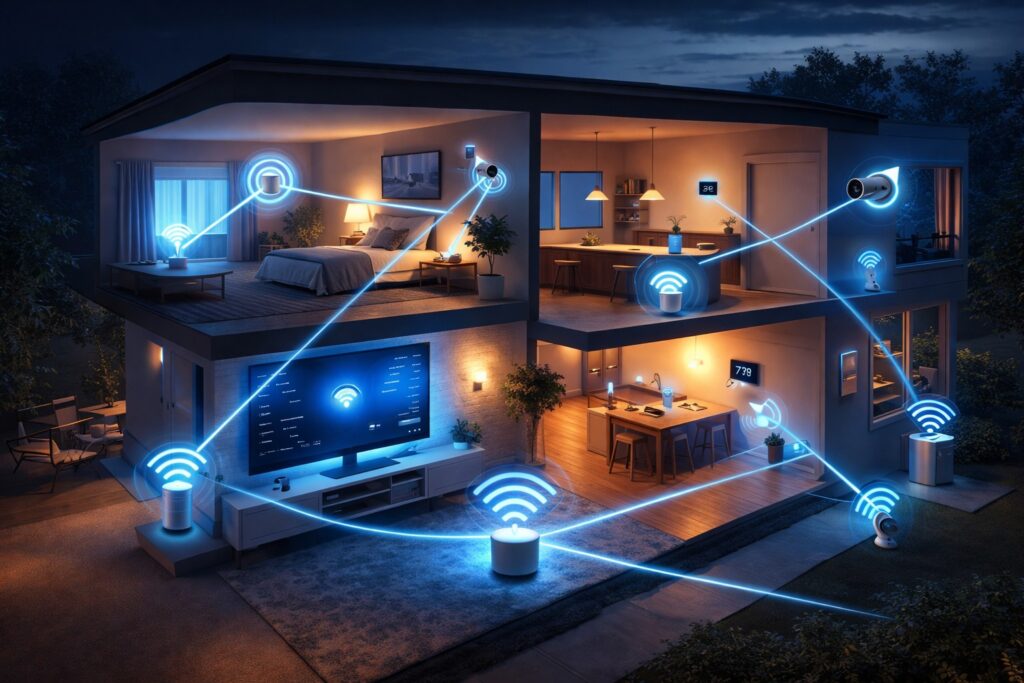
A powerful smart home WiFi network is the foundation of every modern smart home 🏡📶. Without a stable and fast connection, even the most advanced smart devices cannot perform properly. Whether you are using voice assistants, security systems, or automation routines, everything depends on how strong your smart home WiFi is.
Let’s explore why having a reliable smart home WiFi setup is so important in 2026.
🚀 1. Faster Device Response Time
One of the biggest benefits of a strong smart home WiFi network is speed ⚡. When you give a voice command like turning on lights or locking doors, the response should be instant.
No delays
No lag
Smooth operation
If your WiFi is slow, your smart devices may take time to respond—or not respond at all ❌
🔗 2. Better Connectivity for Multiple Devices
A smart home usually has many connected devices:
Smart lights 💡
Security cameras 📷
Smart plugs 🔌
Voice assistants 🎙️
Smart TVs 📺
A normal WiFi network may struggle to handle so many devices at once. But a well-optimized smart home WiFi network ensures that all devices stay connected without interruptions.
🎙️ 3. Smooth Voice Assistant Performance
Voice assistants depend heavily on internet speed and stability. Devices powered by systems like Google Assistant need a reliable smart home WiFi connection to understand and execute commands quickly.
With strong WiFi:
Commands are processed instantly
Responses are accurate
Automation works smoothly
🔐 4. Improved Smart Home Security
Security devices like cameras and smart locks rely on smart home WiFi for real-time monitoring.
A strong network ensures:
Live video streaming without buffering
Instant alerts on your phone 📱
Reliable remote access
Weak WiFi can cause delays in alerts, which can be risky for home security ❗
⚡ 5. Seamless Automation Experience
Automation is the core of any smart home. A stable smart home WiFi network allows devices to work together automatically.
Examples:
Lights turn on when you enter a room
Doors lock at night
Thermostat adjusts temperature automatically
Without reliable WiFi, these automations may fail or work inconsistently.
📊 Quick Summary of Benefits
| Feature | Benefit |
|---|---|
| Fast WiFi | Instant device response |
| Stable Connection | No disconnections |
| Multi-device Support | Smooth performance |
| Strong Security | Real-time monitoring |
| Automation | Smart and efficient home |
If you want a smart home that works smoothly, investing in a strong smart home WiFi network is essential. It not only improves performance but also enhances your overall smart home experience.
🔹 4. Types of WiFi for Smart Homes 📶
Choosing the right type of smart home WiFi is one of the most important decisions when setting up your smart home 🏡. Not all WiFi networks perform the same, and using the wrong type can lead to slow speeds, device disconnections, and poor performance.
To build a strong smart home WiFi network, you need to understand the different types of WiFi available and how they affect your smart devices.
🔸 1. Single-Band vs Dual-Band vs Tri-Band WiFi
These are the most common WiFi types used in homes.
📊 Comparison Table
| WiFi Type | Frequency | Best For | Performance |
|---|---|---|---|
| 📶 Single-Band | 2.4 GHz | Basic usage | Slow & limited |
| 📶 Dual-Band | 2.4 GHz + 5 GHz | Most smart homes | Balanced & reliable |
| 📶 Tri-Band | 2.4 GHz + 5 GHz + 5 GHz | High-end smart homes | Very fast & powerful |
🧠 Explanation:
2.4 GHz → Longer range but slower speed
5 GHz → Faster speed but shorter range
👉 For most users, dual-band smart home WiFi is the best choice because it balances speed and coverage.
🔸 2. Mesh WiFi Systems (Best for Large Homes) 🏠
A mesh WiFi system is highly recommended for modern smart home WiFi setups.
Instead of using a single router, mesh WiFi uses multiple nodes placed around your home to create a strong and uniform signal.
✅ Benefits of Mesh WiFi:
No dead zones 🚫
Strong signal in every room
Perfect for large houses
Smooth device switching
💡 Example: If your bedroom has weak signal, mesh WiFi fixes it instantly.
🔸 3. WiFi Generations (WiFi 5 vs WiFi 6 vs WiFi 7) ⚡
WiFi technology is improving every year, and newer versions provide better performance for smart home WiFi.
📊 Comparison Table
| WiFi Version | Speed | Device Handling | Best For |
|---|---|---|---|
| WiFi 5 | Good | Moderate | Small homes |
| WiFi 6 | Faster | High | Smart homes |
| WiFi 7 | Ultra Fast | Very High | Future-ready homes |
🧠 Why It Matters:
WiFi 6 is ideal for smart homes with many devices
WiFi 7 is future-ready but more expensive
👉 For beginners, WiFi 6 smart home WiFi is the best choice in 2026.
🔥 Which Smart Home WiFi Type Should You Choose?
Here’s a quick recommendation:
🏠 Small Home → Dual-band WiFi
🏡 Medium Home → Dual-band + Mesh
🏢 Large Home → Mesh WiFi + WiFi 6
🚀 Future Setup → WiFi 6 or WiFi 7
💡 Pro Tip
Always choose a WiFi system that can handle multiple smart devices at once. A strong smart home WiFi network ensures better speed, stability, and automation performance.
🔹 5. Best Smart Home WiFi Setup (Step-by-Step Guide) 🛠️
Setting up a powerful smart home WiFi network is the key to making your smart devices work smoothly and efficiently 🏡📶. A proper setup ensures fast speed, stable connections, and seamless automation across all your devices.
Follow this step-by-step guide to build a reliable smart home WiFi system.
🔸 Step 1: Choose the Right Router
The router is the heart ❤️ of your smart home WiFi network. Choosing the right one makes a huge difference in performance.
👉 Look for:
Dual-band or WiFi 6 router
High device capacity
Strong signal coverage
💡 For larger homes, consider a mesh WiFi system for better coverage.
🔸 Step 2: Place Your Router in the Right Location
Router placement is very important for a strong smart home WiFi signal.
📍 Best placement tips:
Keep it in a central location
Avoid walls and metal objects
Place it at a higher position
This helps distribute WiFi evenly across your home.
🔸 Step 3: Separate 2.4GHz and 5GHz Networks
Smart devices work best when your smart home WiFi network is properly organized.
📶 2.4GHz → Best for smart devices (long range)
⚡ 5GHz → Best for phones, laptops, streaming
👉 This separation reduces network congestion and improves performance.
🔸 Step 4: Connect Your Smart Devices
Now it’s time to connect your devices:
Smart lights 💡
Security cameras 📷
Smart plugs 🔌
Smart speakers 🎙️
Use apps like Google Home to connect and control your devices easily.
🔸 Step 5: Optimize Your Network Settings
To get the best performance from your smart home WiFi, adjust basic settings:
✔ Enable automatic updates
✔ Set strong password 🔐
✔ Limit unnecessary devices
✔ Enable QoS (Quality of Service) if available
These settings improve speed and security.
🔸 Step 6: Test Speed and Coverage
After setup, test your smart home WiFi network.
📊 Check:
Internet speed
Signal strength in each room
Device response time
If you find weak areas, consider adding a WiFi extender or mesh node.
.
🔥 Final Setup Checklist
✔ Router installed correctly
✔ Devices connected successfully
✔ Strong WiFi signal in all rooms
✔ No lag or delay in smart devices
💡 Pro Tip
Always build your smart home WiFi network with future expansion in mind. As you add more smart devices, your network should still handle everything smoothly.
🔹 6. Smart Home WiFi Speed Optimization Tips 🚀
A fast and stable smart home WiFi network is essential for smooth automation and real-time device response 🏡📶. Even after setting up your network, you may experience slow speeds or lag if it’s not properly optimized.
In this section, you’ll learn how to boost your smart home WiFi speed and ensure all your devices work efficiently without delays.
⚡ 1. Reduce Network Interference
Interference is one of the biggest reasons for slow smart home WiFi performance.
📡 Common causes:
Thick walls
Metal objects
Nearby WiFi networks
Electronic devices (microwave, TV)
👉 Solution:
Place your router in an open space
Keep it away from other electronics
Use less crowded WiFi channels
📶 2. Limit Connected Devices
Too many connected devices can slow down your smart home WiFi network.
Even devices that are not actively used still consume bandwidth.
👉 Tips:
Disconnect unused devices
Use a guest network for visitors
Prioritize important smart devices
🏠 3. Upgrade to Mesh WiFi System
If you have a large home, a single router may not be enough.
A mesh WiFi system improves your smart home WiFi by:
Eliminating dead zones 🚫
Providing strong signal in every room
Supporting more devices smoothly
🔄 4. Update Router Firmware Regularly
Outdated firmware can reduce performance and security.
👉 Always:
Enable automatic updates
Check for updates monthly
This keeps your smart home WiFi fast and secure.
🔌 5. Use Ethernet for Important Devices
For devices like smart hubs or TVs, using a wired connection improves stability.
👉 Benefits:
Faster speed
No signal drops
Better performance for automation systems
⚙️ 6. Enable QoS (Quality of Service)
Many modern routers support QoS settings.
This feature allows you to prioritize devices on your smart home WiFi network.
👉 Example:
Give priority to security cameras 📷
Prioritize voice assistants 🎙️
This ensures critical devices always perform well.
📊 Quick Speed Optimization Checklist
✔ Router placed correctly
✔ Limited unnecessary devices
✔ Firmware updated
✔ Mesh system installed (if needed)
✔ QoS enabled
✔ Strong signal in all rooms
💡 Pro Tip
For best results, combine WiFi 6 router + mesh system + optimized settings to create a powerful smart home WiFi network that handles everything smoothly 🚀
🔹 7. Smart Home WiFi Security Tips 🔐
When building a smart home, security should be your top priority. A poorly secured smart home WiFi network can make your devices vulnerable to hacking, data theft, and unauthorized access ⚠️. Since smart devices are always connected to the internet, protecting your smart home WiFi is essential for keeping your home and personal data safe.
Let’s explore the best ways to secure your smart home WiFi network effectively.
🔑 1. Use a Strong WiFi Password
Your first line of defense is a strong password.
👉 Tips for a secure password:
Use at least 12–16 characters
Include letters, numbers, and symbols
Avoid common names or simple words
A strong password makes your smart home WiFi much harder to hack.
🔐 2. Enable WPA3 Encryption
Modern routers support advanced encryption like WPA3, which protects your network from unauthorized access.
👉 Benefits:
Stronger data protection
Better security than older WPA2
Safer smart device communication
Always enable WPA3 in your router settings if available.
🌐 3. Create a Separate Guest Network
A guest network helps protect your main smart home WiFi network.
👉 Why it’s important:
Keeps your smart devices isolated
Prevents unauthorized access
Safer for visitors
You can allow guests to use the internet without exposing your main network.
📱 4. Disable Unused Devices
A guest network helps protect your main smart home WiFi network.
👉 Why it’s important:
Keeps your smart devices isolated
Prevents unauthorized access
Safer for visitors
You can allow guests to use the internet without exposing your main network.
📱 4. Disable Unused Devices
Every connected device is a potential entry point for hackers.
👉 Best practice:
Remove unused devices
Regularly check connected devices list
Disconnect unknown devices immediately
This keeps your smart home WiFi clean and secure.
🔄 5. Keep Devices and Router Updated
Updates fix security vulnerabilities and improve performance.
👉 Always:
Enable automatic updates
Update smart devices regularly
Keep router firmware up to date
This ensures your smart home WiFi stays protected against new threats.
🚫 6. Turn Off Remote Access (If Not Needed)
Some devices allow remote control from outside your network.
👉 If you don’t use it:
Disable remote access
Limit external connections
This reduces the risk of unauthorized control over your smart home.
📊 Quick Security Checklist
✔ Strong WiFi password
✔ WPA3 encryption enabled
✔ Guest network created
✔ Unused devices removed
✔ Firmware updated regularly
✔ Remote access disabled (if not needed)
🔹 8. Common Smart Home WiFi Problems & Fixes ❌➡️✅
Even with a good setup, users may face issues with their smart home WiFi network 🏡📶. These problems can affect device performance, automation, and overall smart home experience.
The good news is that most smart home WiFi problems are easy to fix with the right approach. Let’s look at the most common issues and their solutions.
❌ 1. Smart Devices Not Connecting
This is one of the most common problems in a smart home WiFi setup.
🔍 Possible Causes:
Wrong WiFi network (2.4GHz vs 5GHz)
Weak signal
Incorrect device setup
✅ Solution:
Connect smart devices to 2.4GHz network
Move device closer to router
Reset and reconnect the device
❌ 2. Weak WiFi Signal in Some Rooms
Dead zones can make your smart home WiFi unreliable.
🔍 Causes:
Large home size
Thick walls
Poor router placement
✅ Solution:
Use a mesh WiFi system 🏠
Add WiFi extenders
Place router in central location
❌ 3. Slow Internet Speed 😓
Slow speed can delay commands and automation.
🔍 Causes:
Too many connected devices
Network congestion
Outdated router
✅ Solution:
Upgrade to WiFi 6 router
Disconnect unused devices
Enable QoS settings
❌ 4. Smart Devices Not Responding
Sometimes devices connect but don’t respond to commands.
🔍 Causes:
App issues
Internet lag
Server delay
✅ Solution:
Restart device and router
Update mobile apps
Check internet connection
❌ 5. Frequent Disconnections
Devices disconnect randomly from your smart home WiFi.
🔍 Causes:
Weak signal
Router overload
Firmware issues
✅ Solution:
Restart router
Update firmware
Reduce number of connected devices
📊 Quick Problem-Solution Table
| Problem | Solution |
|---|---|
| Device not connecting | Use 2.4GHz network |
| Weak signal | Install mesh WiFi |
| Slow speed | Upgrade router |
| No response | Restart system |
| Disconnection | Update firmware |
🔹 9. Best Devices for Smart Home WiFi 📦
To build a powerful and reliable smart home WiFi network, choosing the right devices is just as important as the setup 🏡📶. The right hardware ensures better speed, strong connectivity, and smooth performance across all your smart devices.
Below are the essential devices you should consider for optimizing your smart home WiFi system.
📡 1. Smart WiFi Routers (Core Device)
The router is the foundation of your smart home WiFi network ❤️. A high-quality router ensures stable internet and supports multiple devices without lag.
👉 What to look for:
WiFi 6 support ⚡
Dual-band or tri-band capability
High device capacity
Strong signal coverage
💡 A good router can handle 20–50+ devices easily.
🏠 2. Mesh WiFi Systems (Best for Full Coverage)
Mesh WiFi systems are perfect for large homes or areas with weak signals.
👉 Benefits:
Eliminates dead zones 🚫
Provides strong signal in every room
Seamless connectivity between nodes
Mesh systems are highly recommended for advanced smart home WiFi setups.
📶 3. WiFi Range Extenders
If you don’t want a full mesh system, range extenders are a budget-friendly option.
👉 Use cases:
Improve signal in specific rooms
Extend coverage to upper floors
Fix weak signal areas
However, they are less powerful compared to mesh systems.
🎛️ 4. Smart Home Hubs
A smart hub acts as a central control system for your smart devices.
Devices like smart speakers powered by Google Assistant help manage your smart home easily.
👉 Benefits:
Centralized device control
Better automation
Faster communication between devices
🔌 5. Smart Plugs & IoT Devices
Smart plugs and IoT devices also depend on your smart home WiFi network.
Examples:
Smart plugs 🔌
Smart lights 💡
Security cameras 📷
Smart thermostats 🌡️
These devices increase convenience but also require a strong WiFi network to function properly.
📊 Device Comparison Table
| Device | Purpose | Recommended For |
|---|---|---|
| Router | Main network control | Every home |
| Mesh WiFi | Full coverage | Large homes |
| Extender | Signal boost | Small fixes |
| Smart Hub | Device control | Automation |
| Smart Devices | Home automation | Daily use |
🔹 10. Future of Smart Home WiFi 🤖
The future of smart home WiFi is evolving rapidly as technology becomes smarter, faster, and more intelligent 🏡📶. In the coming years, we can expect major advancements that will completely transform how smart homes operate.
With the rise of artificial intelligence and automation, smart home WiFi will no longer be just about internet connectivity—it will become an intelligent system that manages and optimizes itself automatically.
🤖 1. AI-Powered Network Optimization
Future smart home WiFi systems will use AI to automatically manage network performance.
👉 What this means:
Devices get priority based on usage
Bandwidth is adjusted automatically
Network performance improves without manual setup
AI will ensure your smart home always runs smoothly without needing constant adjustments.
🔄 2. Self-Healing WiFi Networks
One of the most exciting developments is self-healing WiFi.
👉 Features:
Automatically detects connection issues
Fixes problems without user input
Reroutes signals for better performance
This will make smart home WiFi more reliable than ever before.
⚡ 3. Faster Speeds with WiFi 7
The next generation of WiFi, known as WiFi 7, will bring ultra-fast speeds and low latency.
👉 Benefits:
Instant device response
Better streaming and gaming
Improved performance for multiple devices
WiFi 7 will take smart home WiFi performance to the next level 🚀
🏠 4. Smarter Device Integration
Future smart homes will have even deeper integration between devices.
👉 Example:
Lights adjust automatically based on your mood
Security systems detect unusual behavior
Appliances work together intelligently
All of this will depend on a powerful smart home WiFi network.
🌐 5. Improved Security with AI
Security will also become smarter.
👉 Future features:
AI-based threat detection
Automatic blocking of suspicious devices
Real-time network monitoring
This will make smart home WiFi networks more secure than ever before 🔐
📊 Future Trends Summary
| Feature | Impact |
|---|---|
| AI Optimization | Better performance |
| Self-Healing WiFi | No manual fixes |
| WiFi 7 | Ultra-fast speed |
| Smart Integration | Fully automated homes |
| AI Security | Strong protection |
Visit my previous article:- smart speakers
For good Products:- Google Homes
🚀 Conclusion
A strong smart home WiFi network is the backbone of every smart home. By choosing the right setup, optimizing speed, and ensuring security, you can create a smart home that works smoothly and reliably.
Start small, upgrade gradually, and build a future-ready smart home WiFi system that grows with your needs.
🔍 Frequently Asked Questions (FAQs)
1️⃣ What is smart home WiFi and how is it different from normal WiFi?
Smart home WiFi is a network designed to support multiple connected devices like smart lights, cameras, and voice assistants. Unlike normal WiFi, which is mainly used for browsing and streaming, smart home WiFi provides stable, continuous connectivity and low latency to ensure all smart devices work smoothly and respond instantly.
2️⃣ What is the best WiFi setup for a smart home?
The best smart home WiFi setup includes a dual-band or WiFi 6 router, proper placement in a central location, and possibly a mesh WiFi system for full coverage. Separating 2.4GHz and 5GHz networks and connecting devices correctly also improves performance and reliability.
3️⃣ Why is my smart home WiFi slow or unstable?
A slow smart home WiFi network can be caused by too many connected devices, poor router placement, outdated hardware, or network interference. To fix this, upgrade your router, reduce unnecessary devices, use mesh WiFi, and keep your system updated.
4️⃣ How can I improve smart home WiFi speed and performance?
To improve smart home WiFi performance, place your router in a central location, use a mesh system for better coverage, enable QoS settings, update firmware regularly, and limit the number of connected devices. These steps ensure faster speeds and stable connectivity.
5️⃣ Is smart home WiFi secure and how can I protect it?
Yes, smart home WiFi can be secure if properly configured. Use a strong password, enable WPA3 encryption, create a guest network, update devices regularly, and remove unknown connections. These steps help protect your network from unauthorized access and cyber threats.