Table of Contents
Smart homes are no longer just about turning lights on with your voice or controlling plugs from your phone. Once you’ve explored smart bulbs, speakers, and security cameras, the next natural upgrade is a smart doorbell.
If you’re new to smart home technology, this guide will explain everything in simple language — no technical confusion, no complicated jargon.
By the end of this article, you’ll know:
What a smart doorbell is
How it works
Whether you really need one
What features matter most
How to choose the right one
Let’s begin.
What Is a Smart Doorbell?
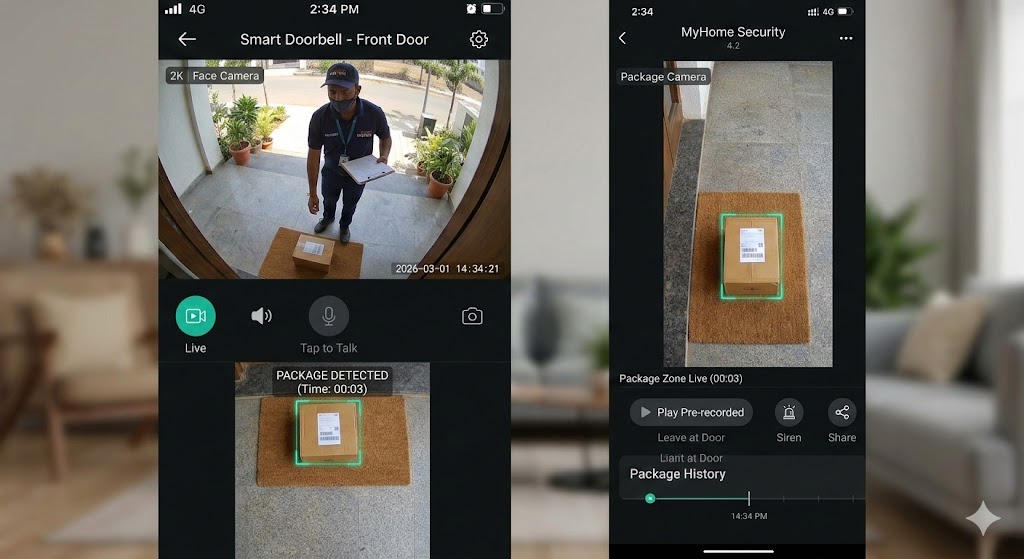
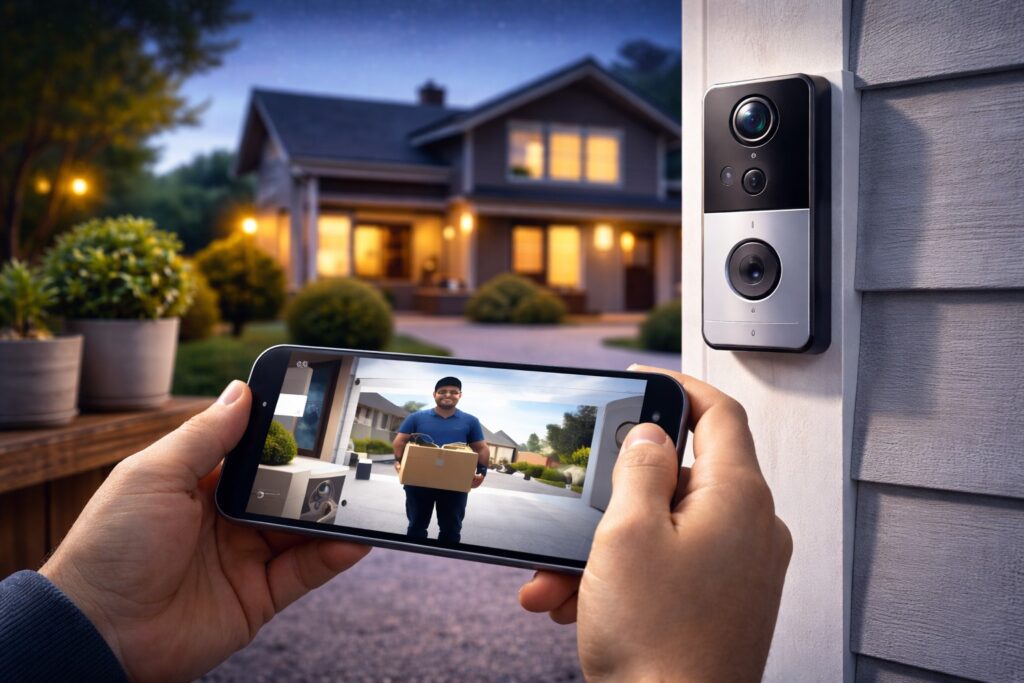
A smart doorbell (also called a video doorbell) is a WiFi-enabled doorbell that lets you see, hear, and talk to visitors through your smartphone.
Unlike traditional doorbells that simply ring inside your house, smart doorbells:
Show live video of your front door
Send motion alerts to your phone
Allow two-way audio communication
Record video footage
In simple words, it combines a doorbell + security camera + intercom system into one device.
For beginners building their smart home, this is one of the most practical upgrades.
How Does a Smart Doorbell Work?
Smart doorbells connect to your home WiFi network. When someone presses the doorbell or motion is detected:
The built-in camera activates
A notification is sent to your smartphone
You can open the app and see live video
You can speak to the visitor in real time
Some models even use AI detection to identify:
People
Packages
Vehicles
This makes them far more intelligent than basic CCTV systems.
Why Beginners Love Smart Doorbells
Many new smart home users choose a smart doorbell for one simple reason: convenience with security.
Here’s why they are beginner-friendly:
Easy installation
Simple mobile apps
Real-time alerts
Remote access from anywhere
Clear video monitoring
Whether you live in an apartment or independent house, a WiFi video doorbell adds both comfort and safety.
Types of Smart Doorbells
Understanding types helps you make a better buying decision.
1. Wired Smart Doorbells
These connect to your existing doorbell wiring.
✔ No battery charging
✔ Continuous power
❌ Professional installation may be required
2. Wireless (Battery-Powered) Doorbells
These run on rechargeable batteries.
✔ Easy DIY installation
✔ Flexible placement
❌ Needs charging every few weeks/months
For beginners, battery-powered doorbells are usually easier to start with.
Important Features to Look For (Beginner Buying Guide)
When searching for the best smart doorbell for beginners, focus on these essential features.
1. Video Resolution (At Least 1080p)
1080p Full HD gives clear footage. Avoid lower resolutions.
2. Night Vision
Essential for monitoring your door at night. Infrared night vision is common.
3. Two-Way Audio
Allows you to speak to delivery agents or visitors without opening the door.
4. Motion Detection Alerts
Look for adjustable motion sensitivity to avoid false alerts.
5. Field of View (FOV)
A wide-angle lens (around 150°–180°) captures more area.
6. Cloud or Local Storage
Some models require subscriptions for video history. Others offer SD card storage.
Smart Doorbell Without Subscription – Is It Possible?
Yes, some smart doorbells offer local storage options, meaning you don’t have to pay monthly fees.
However, cloud storage provides:
Longer video history
Remote backup
Better data safety
For beginners on a budget, choosing a smart doorbell without subscription can reduce long-term costs.
Smart Doorbell Installation – Is It Difficult?
Not at all.
Most modern smart doorbells are designed for simple setup:
Download the mobile app
Charge or connect device
Connect to WiFi
Mount near front door
Adjust motion settings
The entire process usually takes 20–30 minutes.
For wired models, you may need basic electrical knowledge.
Best Placement Tips for Maximum Security
Placement plays a major role in performance.
Install 4–5 feet above ground
Avoid direct sunlight
Ensure strong WiFi signal
Keep camera angle slightly downward
Proper placement reduces blind spots and improves face detection.
Smart Doorbell vs Smart Security Camera – What’s the Difference?
Many beginners get confused here.
| Feature | Smart Doorbell | Security Camera |
|---|---|---|
| Designed for front door | ✔ | ❌ |
| Doorbell button included | ✔ | ❌ |
| Two-way audio | ✔ | ✔ |
| Motion detection | ✔ | ✔ |
| Wider area monitoring | Limited | Better |
If your focus is front door monitoring, choose a smart doorbell.
For wider surveillance, add security cameras too.
Real-Life Benefits of a Smart Doorbell
This is where smart doorbells truly shine.
Check deliveries while at work
Avoid opening door to strangers
Monitor late-night activity
Speak to visitors when traveling
Record suspicious behavior
For families, working professionals, and apartment residents, this adds serious peace of mind.
Are Smart Doorbells Safe?
Yes — when configured correctly.
To stay secure:
Use strong passwords
Enable two-factor authentication
Keep firmware updated
Avoid public WiFi during setup
Smart devices are safe if managed responsibly.
Common Mistakes Beginners Make
Avoid these common issues:
Buying low-resolution camera
Ignoring WiFi strength
Setting motion sensitivity too high
Not checking subscription cost
Poor installation height
These mistakes reduce performance and user experience.
Who Should Buy a Smart Doorbell?
Smart doorbells are ideal for:
Apartment residents
Families with kids
Frequent travelers
Online shoppers
First-time smart home users
If security and convenience matter to you, this is a smart investment.
Final Thoughts
A smart doorbell is one of the most practical and beginner-friendly smart home upgrades in 2026.
It combines security, convenience, and remote monitoring into one compact device. For SmartNestWorld readers building their first smart ecosystem, this is the natural next step after smart speakers and security cameras.
You don’t need to be tech-savvy to use one. Most devices are designed for simplicity.
If you want better front-door security and real-time awareness, a smart doorbell is worth considering.
Visit previous article:-
Smart Home Management for Beginners: How to Control Your Smart Home Easily
Visit Product Info:- Google Homes
Frequently Asked Questions (FAQs)
1. Do smart doorbells work without WiFi?
Most smart doorbells require a stable WiFi connection to send live video and motion alerts to your smartphone. Without WiFi, some models may still ring inside your home, but remote access and video recording features will not function properly.
For full functionality, a strong internet connection is essential.
2. What internet speed is required for a smart doorbell?
For smooth video streaming, at least 2–5 Mbps upload speed is recommended. If multiple smart devices are connected in your home, a higher speed plan ensures better performance and fewer delays.
A stable connection is more important than just high speed.
3. Can I use a smart doorbell without a monthly subscription?
Yes, some smart doorbells offer local storage options like SD cards or limited free cloud storage. However, advanced features such as extended video history and AI detection may require a subscription plan.
If you want to avoid monthly fees, look specifically for a smart doorbell without subscription.
4. Are smart doorbells safe from hacking?
Smart doorbells are generally secure when properly configured. To improve safety:
Use strong passwords
Enable two-factor authentication
Regularly update firmware
Secure your home WiFi network
Most major brands use encrypted connections to protect user data.
5. Is a smart doorbell better than a security camera for front doors?
A smart doorbell is specifically designed for front door monitoring and includes a built-in doorbell button with two-way communication. While security cameras cover wider areas, smart doorbells are better for direct visitor interaction and package monitoring.
For complete home protection, many beginners use both devices together.