What Is a Smart Home Security Camera?
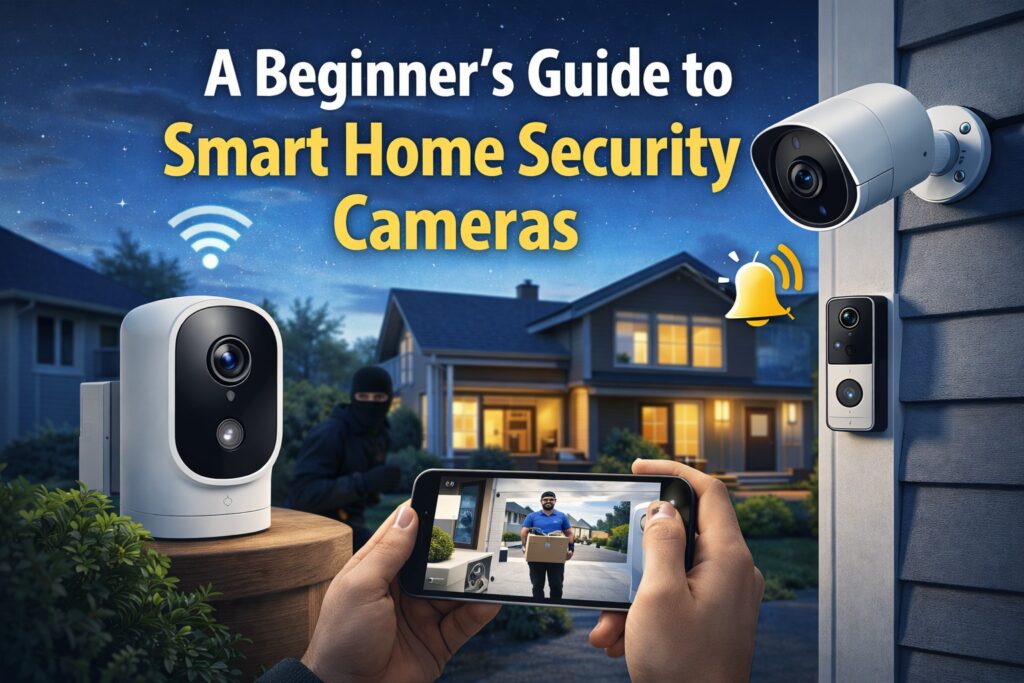
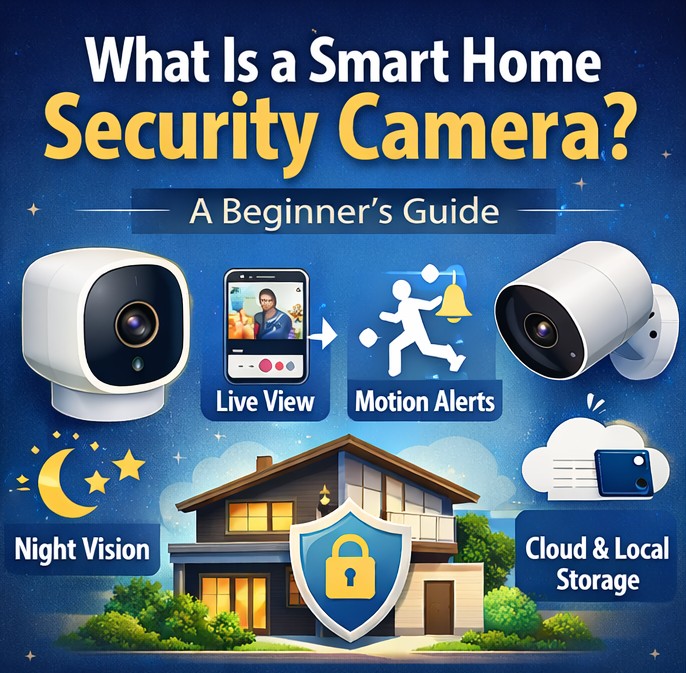
A smart home security camera is a WiFi-connected device that allows you to monitor your home in real time using your smartphone, tablet, or computer. Unlike traditional CCTV systems, smart cameras connect to the internet and offer features like live streaming, motion detection alerts, cloud storage, and even AI-based person detection.
For beginners starting their smart home journey, security cameras are usually the first step toward building a safer and smarter home.
How Do Smart Security Cameras Work?
Smart cameras work using three main components:
Camera hardware – Captures video footage.
Internet connection (WiFi) – Sends footage to cloud servers or apps.
Mobile app – Allows you to view live video and receive alerts.
When motion is detected, the camera sends a notification directly to your phone. Some advanced models can even detect:
People
Pets
Packages
Vehicles
This makes them far more intelligent than old wired CCTV systems.
Types of Smart Home Security Cameras
Understanding the types helps beginners choose the right device.
1️⃣ Indoor Cameras
Designed for inside the house. Perfect for:
Monitoring kids
Checking pets
Watching living areas
Popular example: Google Nest Cam
2️⃣ Outdoor Cameras
Built to withstand rain, dust, and heat. They are ideal for:
Main gate
Parking area
Backyard
Example: Ring Stick Up Cam
3️⃣ Doorbell Cameras
Installed at your front door. They allow two-way communication.
Example: Ring Video Doorbell
Smart Camera Resolution Guide (Why Video Quality Matters)
When choosing a smart home security camera, resolution plays a major role in how clearly you can see details.
Here’s what beginners should know:
720p – Basic quality, suitable for small indoor spaces.
1080p (Full HD) – Best balance of clarity and storage use. Recommended for most beginners.
2K / 4MP – Sharper image, better for outdoor monitoring.
4K Ultra HD – Very detailed but requires strong internet and more storage.
For most homes, 1080p is more than enough. Higher resolution is useful if you want to zoom in and identify faces or license plates.
Wired vs Wireless Cameras
Wired Cameras
✔ Stable connection
✔ No battery worries
❌ Installation can be complex
Wireless (Battery-Powered)
✔ Easy to install
✔ Flexible placement
❌ Requires charging
For beginners, wireless cameras are usually easier to manage.
Key Features to Look For (Beginner Checklist)
When buying your first smart security camera, check these features:
✅ 1080p or Higher Resolution
Clear video quality is essential.
✅ Night Vision
Infrared night vision helps capture footage in darkness.
✅ Motion Detection Alerts
Real-time notifications improve safety.
✅ Two-Way Audio
Allows communication through the camera.
✅ Cloud or Local Storage
Cloud: Stores footage online.
Local: Stores on SD card or hub.
Field of View and Camera Placement Tips
Another important factor is the camera’s field of view (FOV).
Most smart cameras offer between 110° to 160° viewing angle.
Narrow angle = Focused area
Wide angle = Covers larger space
Best Placement Tips for Beginners
Place indoor cameras in corners for maximum coverage.
Install outdoor cameras 8–10 feet above ground.
Avoid pointing directly at bright light sources.
Make sure WiFi signal is strong at the installation spot.
Proper placement improves both security and motion detection accuracy.
Do Smart Cameras Require a Subscription?
Some brands offer free basic storage. However, advanced features like extended video history may require a monthly subscription.
For example:
Ring offers subscription plans for cloud storage.
Google Nest offers Nest Aware plans.
If you are just starting, you can begin with free features and upgrade later.
Cloud Storage vs Local Storage – Which Is Better?
Smart security cameras store footage in two main ways:
Cloud Storage
Saves video on remote servers.
Accessible from anywhere.
Usually requires a subscription.
Safer if the camera is stolen.
Local Storage
Saves video on SD card or local hub.
No monthly fee.
Limited storage capacity.
Footage may be lost if device is damaged.
For beginners, starting with basic cloud storage is often easier and more convenient.
Are Smart Home Security Cameras Safe?
Many beginners worry about privacy.
Here’s how to stay secure:
Use strong passwords
Enable two-factor authentication
Regularly update firmware
Avoid public WiFi for setup
When configured properly, smart cameras are generally safe and encrypted.
How to Set Up a Smart Security Camera (Simple Steps)
Download the brand’s mobile app.
Plug in or charge the camera.
Connect it to WiFi.
Choose placement location.
Adjust motion sensitivity.
Test alerts.
Most setups take less than 15 minutes.
Who Should Buy a Smart Home Security Camera?
Smart cameras are ideal for:
Apartment residents
Working professionals
Families with kids
Pet owners
First-time smart home users
They add convenience, security, and peace of mind.
Pros and Cons
👍 Pros
Remote monitoring
Instant alerts
Easy installation
Affordable options available
👎 Cons
Requires stable WiFi
Possible subscription costs
Privacy concerns if misconfigured
Common Mistakes Beginners Make
Many first-time users make simple mistakes that reduce camera performance.
Here are some to avoid:
Installing camera too high or too low
Ignoring firmware updates
Using weak WiFi passwords
Setting motion sensitivity too high
Forgetting to test night vision
Avoiding these mistakes ensures better security and smoother performance.
How Smart Cameras Improve Everyday Life
Smart cameras are not only about catching intruders. They also improve daily convenience:
Check deliveries while at work
Monitor children after school
Watch pets during travel
Verify unexpected door activity
Feel safer during nighttime
For many beginners, this peace of mind is the biggest benefit.
Final Thoughts
Smart home security cameras are one of the most practical upgrades for beginners starting their smart home journey. They combine safety, convenience, and modern technology in one simple device.
For SmartNestWorld readers, this is the natural next step after smart plugs, bulbs, and speakers. Security transforms your home from just “smart” to truly intelligent.
If you’re building your first smart home setup, a security camera is a smart investment for 2026 and beyond.
visit previous article :-
Welcome to SmartNestWorld – Smart Homes & AI Tools for Busy Lives
Veiw products :- Google Homes
FAQs
1. Do smart security cameras work without WiFi?
Most smart cameras require WiFi for remote access. Some can record locally without internet.
2. How much internet speed is required?
At least 2–5 Mbps upload speed is recommended for smooth streaming.
3. Can smart cameras record 24/7?
Yes, many models support continuous recording, depending on storage capacity.
4. Are smart security cameras expensive?
Beginner models are affordable, with prices ranging from budget to premium options.
5. Can I install a smart camera myself?
Yes, most wireless models are designed for easy DIY installation.